

Watched all night, even in a blackout
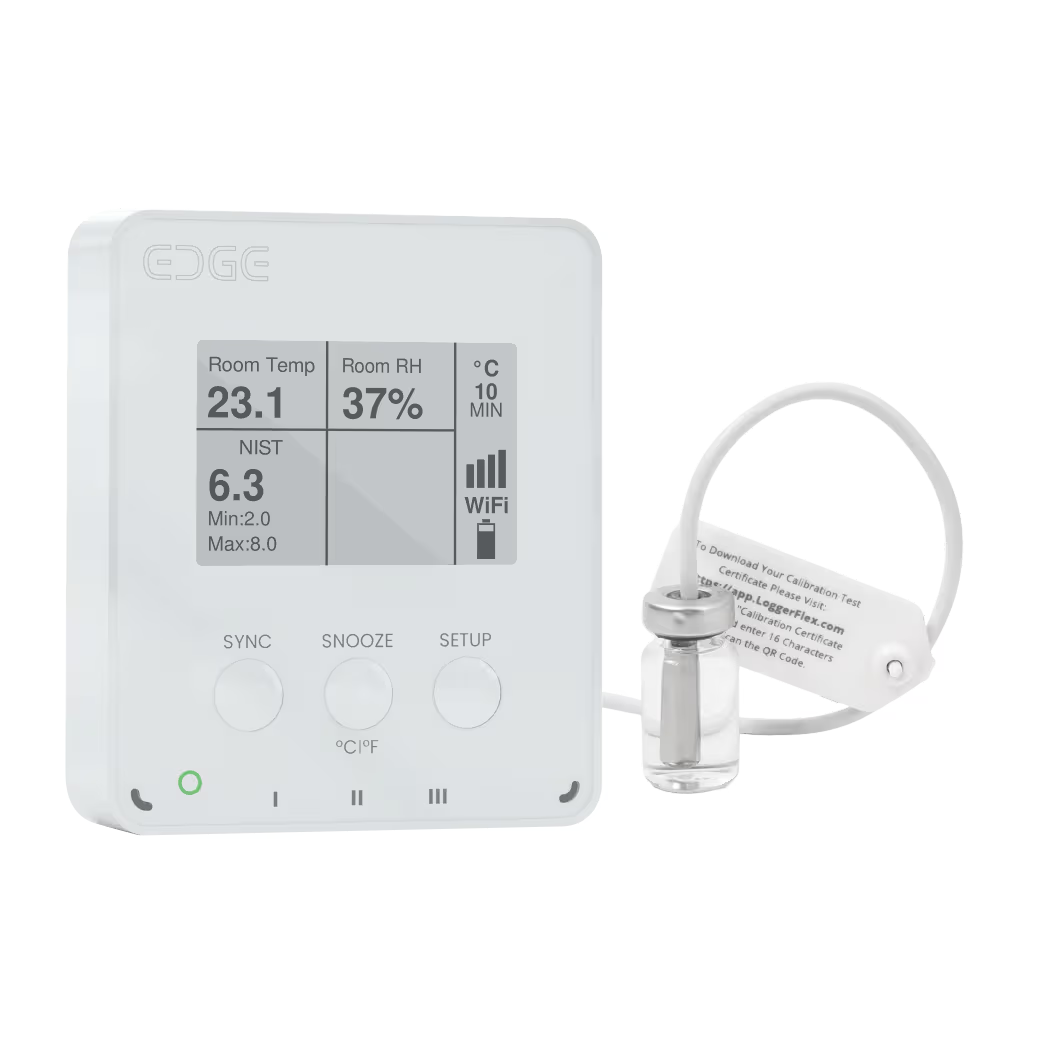
EDGE Pharma Two Cellular checks your fridge every few minutes and sends its alarms over its own connection — no router, no Wi-Fi password, nothing for IT to set up. If it goes too warm or too cold for longer than the delay you set, it sends you an alarm.
Two clocks inside your logger
One clock writes down the temperature. The other sends it to the cloud. They run separately.
Recording Intervalhow often it saves a temperature
Leave it at 10 minutes. That is 144 saves a day, kept inside the logger.
Syncing Intervalhow often it phones home
Leave it at 24 hours. This sets when your chart fills in. Alarms do not wait for it.
Alarms jump the queue
Your logger does not sit on bad news until the next sync. It speeds up and sends the alarm.
Power messages jump the queue too
No internet? Still recording.
If the signal drops, the logger keeps writing temperatures in its own memory. When the signal returns, it sends everything.
Plug it in, sync faster
Your logger runs on four AA batteries. It behaves a little differently while it is plugged in.
What changes
What does not change
Look for the bolt
Nothing to set up
When the power goes out
A power cut is when a fridge is most at risk. Your logger keeps working, and it tells you.
It keeps recording
It tells you quickly
You are told twice
Whether it reaches you depends on how the logger gets online
This is the reason to buy cellular
Who hears about it
Texts need two things
What to do about it
It watches itself too
A logger that has gone quiet is no use. Two things are checked for you, with no setting to switch on.
Low battery
Missed check-in
Two kinds of alarm
One rings at the first bad reading. The other waits to see if the problem is real.
Rings the moment one reading goes out of range. Very safe. Noisy when the door opens often.
Rings only if the fridge stays out of range for the whole 15 minutes. A quick door opening stays quiet.
One delay covers both directions
Change your alarm settings
Four steps. About two minutes. You only do this once.
Pick your fridge
Sign in at app.loggerflex.com. Click the card with your fridge’s name on it.
18 hours Ago
TEMP I
4.6 °C
Ambient Temp
20.4 °C
18 hours Ago
TEMP I
5.1 °C
Ambient Temp
20.4 °C
Open Settings
A row of buttons appears. Click the gear — the first button in the row.
No gear?
Type your two limits
Scroll to “Alarm Settings and Measurement Units”. Find your temperature card. Type 2 and 8.
Alarm Settings and Measurement Units
Title
Send alarm if Below ▾
Send alarm if Above ▴
Title
Send alarm if Below ▾
Send alarm if Above ▴
Which card do I fill in?
Adding a second probe later
Pick the delay, then Save
Set “Alarm Trigger Delay” to “If persist more than 15 min”. Turn Send Alarms on. Click Save.
Send Alarms
OFFONNo Connection Alarm
OFFONAudible Alarm
OFFAlarm Trigger Delay
If persist more than 15 minAlarm Trigger Rule
AllAnyGive it time
Who gets the message
Two ways to hear nothing
Share a fridge with colleagues
The level you pick decides what they see — and whether their phone rings at 2am.
Open the fridge’s settings
Same gear as before. Scroll to the section headed “Access and Ownership”. Find the “Share access” card and click “View and Add”.
Pick a level, add an email
Choose an “Access level”, type their “Email”, then click Save.
Share access
Access level
Who gets the alarm
Who can change settings
No account yet?
Sharing needs Premium
Your own alarm settings
Limits belong to the fridge. How you are told belongs to you, and you set it once.
Receive Alarms by
To get texts
To get calls
This is per person, not per fridge
Email and push are free
Your $5 starting credit
Topping up
Dates and times
Sign out to see it
Measurement units
The best numbers to use
Three kinds of fridge. Copy the column that matches yours.
Vaccine fridge
- Send alarm if Below
- 2 °C (36 °F)
- Send alarm if Above
- 8 °C (46 °F)
- Alarm Trigger Delay
- If persist more than 15 minLoggerFlex advice, not a published rule
- Recording Interval
- 10 MinutesLoggerFlex advice, not a published rule
- Syncing Interval
- 24 HoursLoggerFlex advice, not a published rule
- Alarm Trigger Rule
- Any
- Send Alarms
- On
- No Connection Alarm
- On
Medicine fridge
- Send alarm if Below
- 2 °C (36 °F)
- Send alarm if Above
- 8 °C (46 °F)
- Alarm Trigger Delay
- If persist more than 30 minLoggerFlex advice, not a published rule
- Recording Interval
- 10 MinutesLoggerFlex advice, not a published rule
- Syncing Interval
- 24 HoursLoggerFlex advice, not a published rule
- Alarm Trigger Rule
- Any
- Send Alarms
- On
- No Connection Alarm
- On
Freezer
- Send alarm if Below
- leave empty
- Send alarm if Above
- −15 °C (5 °F)
- Alarm Trigger Delay
- If persist more than 1 hrLoggerFlex advice, not a published rule
- Recording Interval
- 10 MinutesLoggerFlex advice, not a published rule
- Syncing Interval
- 24 HoursLoggerFlex advice, not a published rule
- Alarm Trigger Rule
- Any
- Send Alarms
- On
- No Connection Alarm
- On
| In the app | Vaccine fridge | Medicine fridge | Freezer |
|---|---|---|---|
| Send alarm if Below | 2 °C (36 °F) | 2 °C (36 °F) | leave empty |
| Send alarm if Above | 8 °C (46 °F) | 8 °C (46 °F) | −15 °C (5 °F) |
| Alarm Trigger Delay | If persist more than 15 minLoggerFlex advice, not a published rule | If persist more than 30 minLoggerFlex advice, not a published rule | If persist more than 1 hrLoggerFlex advice, not a published rule |
| Recording Interval | 10 MinutesLoggerFlex advice, not a published rule | 10 MinutesLoggerFlex advice, not a published rule | 10 MinutesLoggerFlex advice, not a published rule |
| Syncing Interval | 24 HoursLoggerFlex advice, not a published rule | 24 HoursLoggerFlex advice, not a published rule | 24 HoursLoggerFlex advice, not a published rule |
| Alarm Trigger Rule | Any | Any | Any |
| Send Alarms | On | On | On |
| No Connection Alarm | On | On | On |
Blue dot = our advice, not a published rule. The 2 °C (36 °F) and 8 °C (46 °F) limits come from published storage guidance (CDC, NIST and the Public Health Agency of Canada). The intervals and delays are ours; the other rows are simply how the app’s switches should be set.
One thing to check
Set the fridge to 5
Freezers: ask first
What “No Connection Alarm” does
Right way, wrong way
Do this · Limits
Do this: 2 and 8. The real safe range.
Not this · Limits
Not this: 0 and 10. Vaccines spoil before it rings.
Do this · Delay
Do this: 15 minutes. Ignores a door, catches a failure.
Not this · Delay
Not this: Six hours. A dead fridge stays quiet half a day.
Do this · Syncing
Do this: Leave it at 24 hours. Alarms still come at once.
Not this · Syncing
Not this: Flight mode. Nothing reaches you at all.
Get your Min/Max report
Proof for your inspector, in about twenty seconds.
Click the page-and-pen button
Select your fridge card. In the row of buttons, click the page-with-a-pen icon, just after the share arrows. It opens Advanced Reports.
Pick the first report
Under “Select Report Type”, click Create on “Min/ Max/ Average daily report”. You get one row per day.
Min/ Max/ Average daily report
Summarizes daily minimum, maximum, and average readings for each parameter.
Vaccine Temperature Report
Tracks vaccine storage between pharmacy opening and closing times.
Choose dates, then Generate Report
Set the From and To dates. Click Generate Report. Your report opens on screen.
Min/ Max/ Average daily report
From
Time
Date
To
Time
Date
Download it
In “Download this Report”, click the green square for Excel or the red square for PDF.
Download this Report
| Day | Date | Daily Avg. | Max Temp | Min Temp |
|---|---|---|---|---|
| Wednesday | 01/07/2026 | 4.8 | 6.1 | 3.9 |
| Thursday | 02/07/2026 | 5.0 | 6.4 | 4.1 |
| Friday | 03/07/2026 | 4.7 | 5.9 | 3.8 |
The vaccine version
Two things to know
Do I have Premium on this fridge?
What is MKT?
What your subscription covers
A cellular logger keeps an active subscription for as long as you use it. The first year is free.
No free tier on this model
The free tier keeps
- Live temperatures, the dashboard and the fridge card.
- Every alarm — email, text, phone call and push.
- Charts and records going back 45 days.
- The “Detailed readouts” report, for those same 45 days.
Premium adds
- Your full history, back past 45 days.
- Every other report, including Min/Max and the vaccine report.
- Automatic reports, sent to you on a schedule.
- Sharing a fridge with someone new, and handing one over.
It is per fridge
Nothing fails quietly
Where to manage it
Cellular always needs a subscription
$36 a year (about $3 a month)
Your first year is $0
Frequently asked questions
What alarm limits should a vaccine fridge use?
Set Send alarm if Below to 2 °C (36 °F) and Send alarm if Above to 8 °C (46 °F). That matches the 2 to 8 °C (36 °F to 46 °F) storage range published by CDC, NIST and the Public Health Agency of Canada. Do not narrow it: your alarm should ring at the same point your health authority counts as a reportable excursion.
Why not set the alarm to 3 and 7 for an early warning?
Because the event you must report is defined at 2 and 8. An alarm inside the range would ring on temperatures that are still perfectly safe, and your records would stop matching the event your health authority asks about. Build your safety margin into the fridge thermostat instead, by setting it near 5 °C (41 °F).
Does a long Syncing Interval delay my alarm?
A long syncing interval slows your chart, not your alarm. Ordinary readings wait for the next sync to fill in your chart; a reading that goes out of range does not wait for that schedule. What does hold an alarm back is the Alarm Trigger Delay you chose — on “If persist more than 15 min” the logger has to see 15 minutes out of range before it sends anything.
How do I get a minimum and maximum temperature report?
Select your fridge on the dashboard, click the Advanced Reports button, then click Create on Min/ Max/ Average daily report. Choose your From and To dates, click Generate Report, and download it as Excel or PDF. That report always includes a minimum and a maximum for every day.
Does the Vaccine Temperature Report show min and max?
Only if you tick the Min/Max checkbox yourself. It starts unticked, so a report run with the default settings contains opening and closing temperatures but no daily minimum or maximum.
Will I be told if the power goes out?
Yes. The logger switches to its AA batteries and reports the cut at its next scheduled save, then sends a second message when power comes back. Both arrive by email and by text, not as push notifications. The important catch: a Wi-Fi logger sends nothing while your router is down, and a mains cut usually takes the router down too. A cellular logger has its own connection and is not affected.
Does plugging the logger into USB-C make alarms arrive faster?
No. While it is plugged in the logger syncs its saved readings every 15 minutes instead of once a day, so your chart fills in through the day. Alarm speed is unchanged, because a reading outside your limits never waits for the next sync anyway.
Which colleagues get the alarms when I share a fridge?
Everyone you share it with gets alarms except the level called Silent Viewer (No Alarm), which sees exactly what a Viewer sees but stays quiet. You, as the owner, are always on the list. Each colleague chooses their own email, text, call and push settings on their own profile page.
What do I lose when the free year of Premium ends?
Nothing that protects stock. Live temperatures and every alarm keep working on the free tier, and charts and records go back 45 days. What you lose is reporting: only the Detailed readouts report still opens, and only for those 45 days. Every other report and every automatic report is locked, and clicking one tells you Premium is needed rather than returning an empty file. If you had an automatic report scheduled, the system emails you to say your access has expired. The diamond on a fridge card disappears when it moves to the free tier.
Why did my new alarm setting not take effect straight away?
Your logger picks up new settings the next time it syncs. To apply them immediately, press the SYNC button on the logger. Until then its card shows Unsynced settings and the old limits and delay are still running on the device.
Still stuck? Ask us.
Open the helper inside the app, or email our team. A real person answers.