Single Modbus Bridge — Modbus RTU to cloud bridge over WiFi or cellular
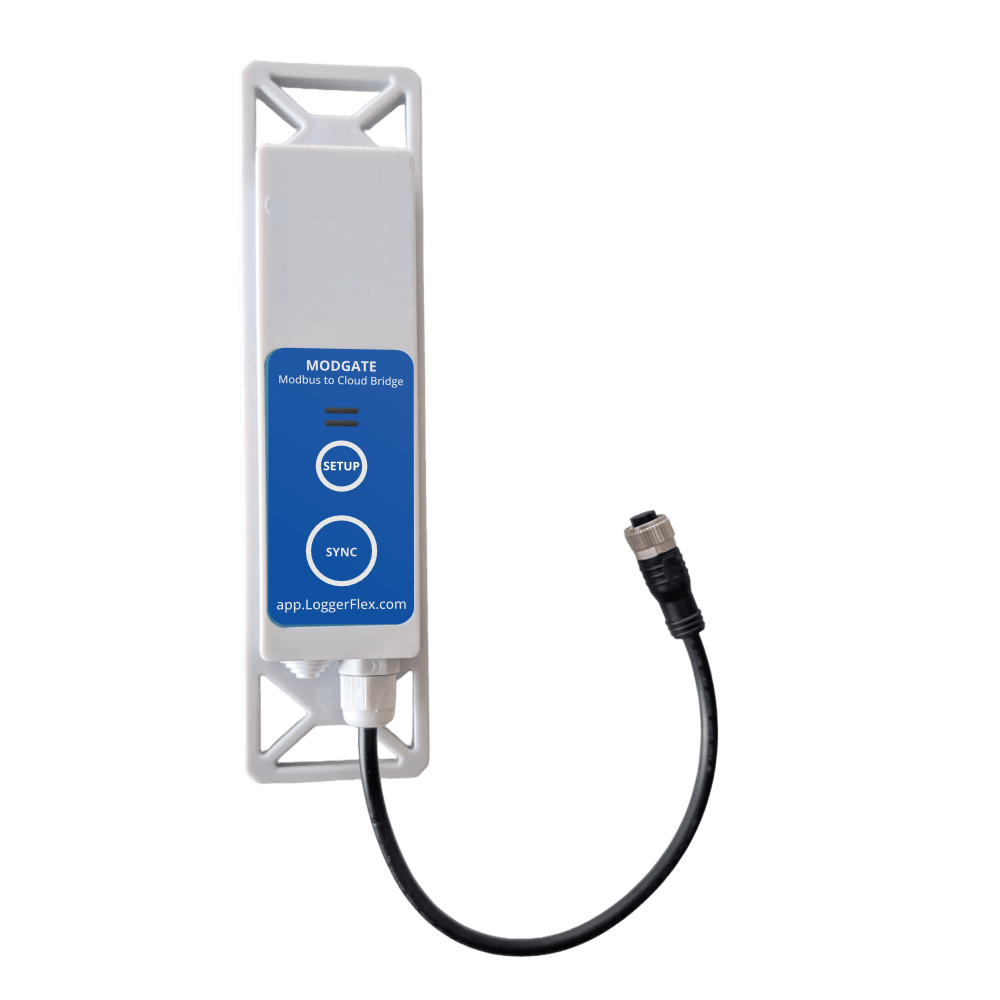
The LF Single Modbus Bridge links a Modbus RTU sensor to LF Cloud over WiFi or cellular, streaming live readings with instant alarms — no separate gateway required.
Frequently asked questions
Do you make anything beyond loggers — meters, gateways, handheld probes?
Yes. The Cellular Water Meter is an ultrasonic meter with its own 4G modem and managed SIM, so there is no gateway and nothing to pair; you claim it to your LF Cloud account yourself with its serial number and DUID, and support can help if you run into trouble. MODGATE brings Modbus RTU and TCP equipment registers into LF Cloud, and the LF M-Bus Cloud Bridge reads wired M-Bus utility meters. AgriMax reports soil moisture content (MC), measured by capacitance, and soil temperature, and LoggerFlex Halo shows live conditions on a round display at the point of use.
Do I need a gateway, hub or bridge?
No. Every EDGE and BLOCK unit reaches LF Cloud on its own — BLOCK and Wi-Fi EDGE models over your existing Wi-Fi, cellular EDGE models over their built-in modem — so there is no proprietary gateway to buy, mount or maintain and no IT project to schedule. The cellular water meter works the same way, with its own 4G modem and managed SIM. EDGE also broadcasts Bluetooth for local viewing, and that is the single exception: a LoggerFlex gateway is needed only to capture BLE data. Logging, alarms and cloud reporting all work without one.
Can I get a battery-life figure for my exact configuration before I order?
Yes, and it is the right way to specify a fleet. Rated life is a function of your recording interval, sync interval, alarm rate, radio type, signal strength and temperature, so a single headline number tells you little on its own. Send those settings, the environment and the number of monitoring points to your authorized LoggerFlex distributor, or talk to an engineer through the contact form, and you get a recommended configuration with an expected runtime attached. Hardware is configured and quoted per application rather than sold from a list.
How will I be alerted if a reading goes out of range?
LF Cloud sends an automated phone call, an SMS and an email at the same time, to an unlimited number of recipients. Every recipient is notified at once, with no escalation order, and notifications repeat about once an hour while the alarm lasts, so an excursion reaches your phone day or night. EDGE models with a display also raise a local alarm, an audible buzzer and a visual alert on the screen, so staff on site see it even if nobody is looking at a phone. On cellular units the built-in eSIM keeps alarms going out when your Wi-Fi drops.
Can I send alerts to more than one person?
Yes, to an unlimited number of people. Each recipient needs their own free LoggerFlex account and the device shared with them, because sharing is how someone becomes an alarm recipient. Adding new people requires Premium Access; on the free tier existing shares keep working but you cannot invite more. Each person manages their own phone number and notification preferences under Alarm receivers in My Profile, and email is always on. If someone should see the data but never be paged, share the device with the Silent Viewer role.
Will I get flooded with false alarms every time a door opens?
No. LF Cloud runs a four-level alarm engine. Level 1 is an instant alarm the moment a reading crosses your min or max. Level 2, Persistent Condition, only fires if the reading stays out of range for a time delay you set, which filters out door openings and defrost cycles. Level 3 is a Time-Weighted Average for long-term exposure. Level 4 is Trend Drift Detection, comparing against historical baselines to catch slow degradation. You can also set a global alarm trigger delay and require all or any parameters to be out of limits.
Will I know if a device stops reporting or loses power?
Yes. Turn on the No Connection Alarm in the device settings and LF Cloud notifies you when a device has not uploaded within the window you set. A missed scheduled upload also triggers an automatic Missing Upload email, and low-battery and external-power-change alerts are sent by email. EDGE units switch automatically between USB-C and their 4 AA cells, so they keep logging through a power cut and send a power-loss notice at the next recording; a WiFi model can only send it while the router still has power (put the router on a UPS), and a cellular model sends it over the phone network. One caution: at a site with poor coverage an alarm raised while offline makes the device retry repeatedly and drains the battery, so use Battery Saving sync there.
Is there an audit trail of who responded to an alarm?
Yes. Every login, parameter change and alarm acknowledgment is written to a timestamped Activity Log that users cannot edit or delete, the record FDA 21 CFR Part 11 and HACCP corrective-action documentation expect. The log sits on the device attributes page alongside Service History and Maintenance Report. An alarm does not quietly clear itself either: the device stays in active tracking, measuring every minute, until readings actually recover. Readings export as a signature-ready PDF or as Excel for any date range, and alarm acknowledgments can be viewed and downloaded on their own.
LoggerFlex Smart Devices Ltd. is a monitoring-device manufacturer headquartered in Vancouver, Canada, that sells mainly through distributors and resellers. The range covers WiFi and cellular data loggers and alarms (the EDGE and BLOCK families, designed and built in Canada) that report to LF Cloud without a gateway, and whose patented power management (US Patent US 11,455,877 B2) runs EDGE and BLOCK loggers for up to 3 years on 4 AA batteries on WiFi models (up to 2 years on cellular); single-use NFC temperature loggers for shipments; cellular water meters; and remote water quality monitoring. LF Cloud servers are only in Canada.