

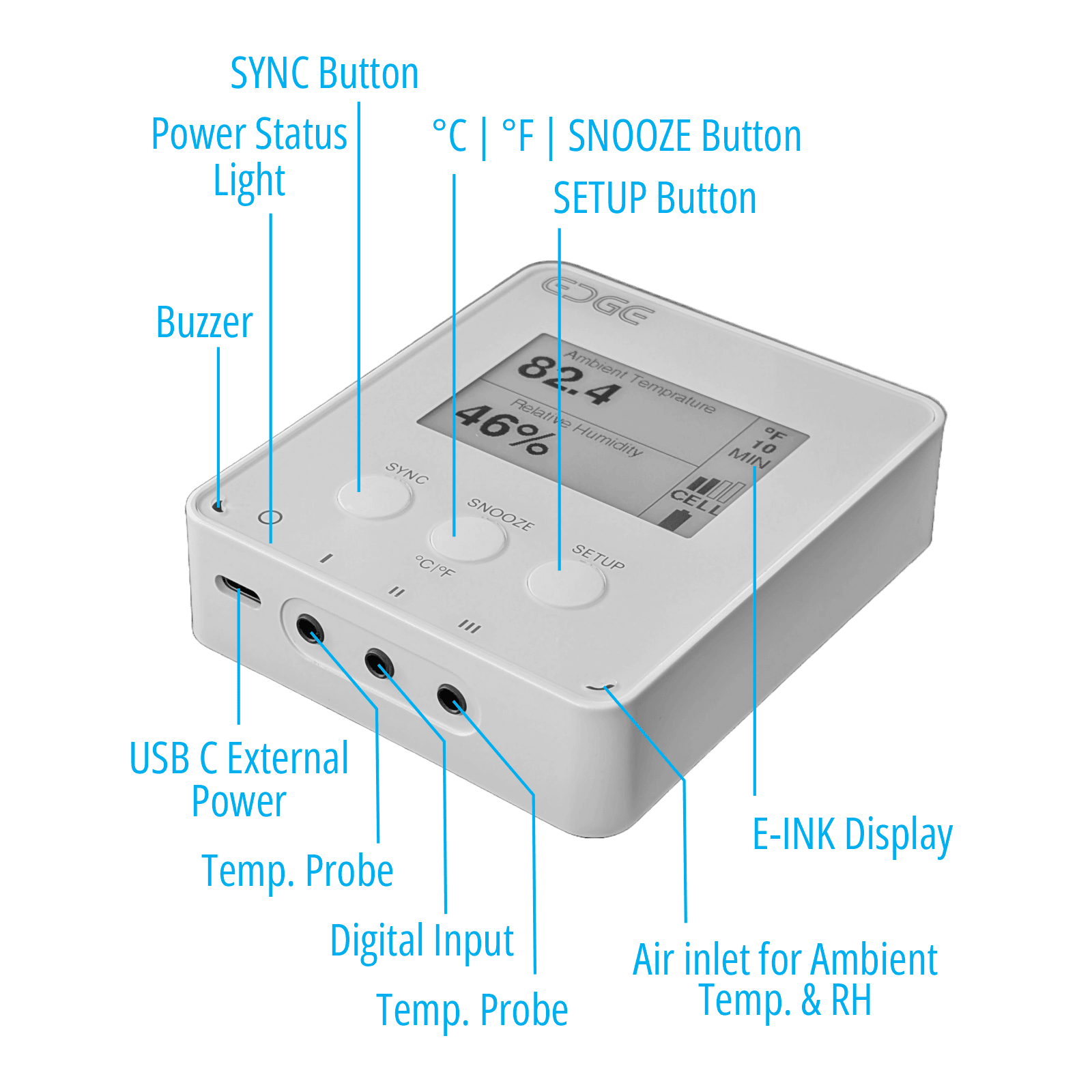
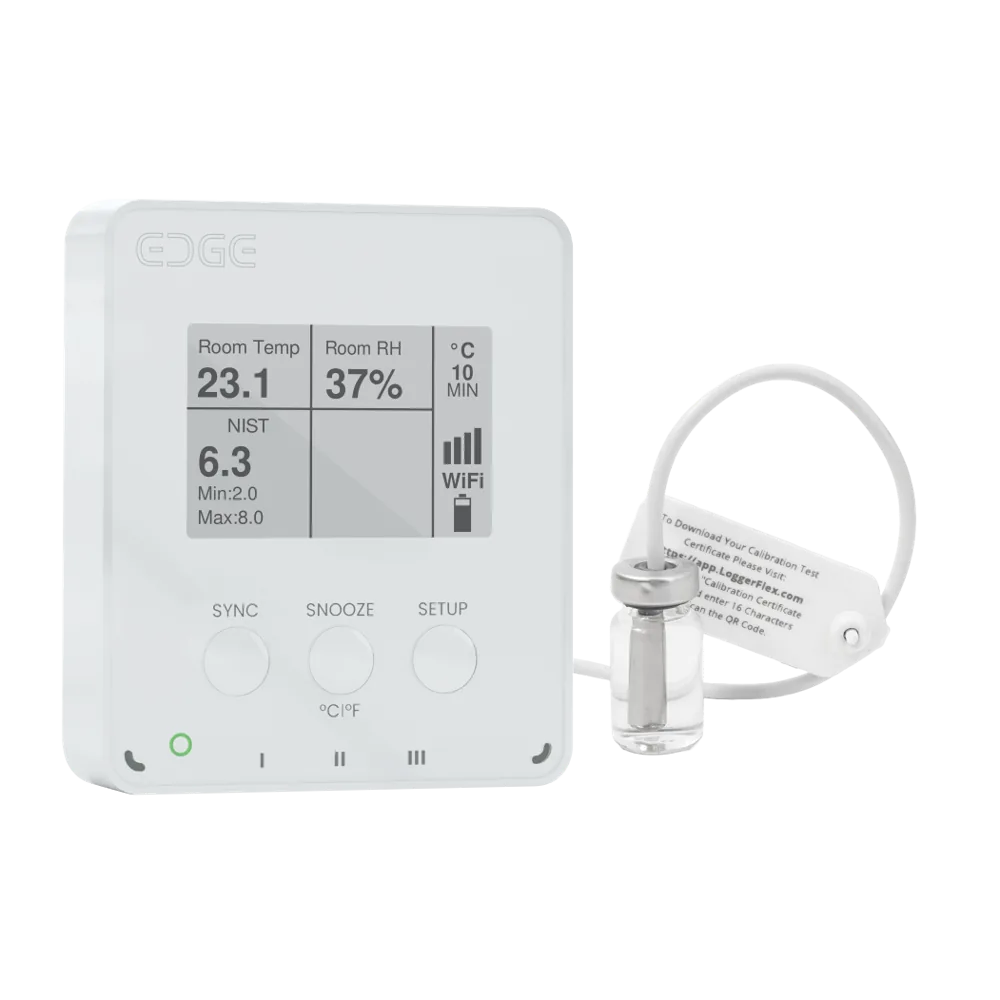
EDGE Pharma One Cellular Cellular vaccine fridge temperature data logger
EDGE Pharma One Cellular is a cellular vaccine fridge temperature data logger with a built-in eSIM, no gateway and one buffered NIST-traceable probe that reads -20 °C to +50 °C (-4 °F to +122 °F) at ±0.5 °C (±0.9 °F).
What It Measures
Ambient Temperature
-20 °C to +70 °C (-4 °F to +158 °F)
Relative Humidity
1% to 99% RH
External Temperature (Probe 1)
-20 °C to +50 °C (-4 °F to +122 °F)
Flood Detector (Optional)
Water Leak Sensing
Dry Contact (Optional)
Digital Input (Open/Close)
Mold Index
Mold possible prediction of growth
Power Outage Alarm
If plugged to external USB-C power
About EDGE Pharma One Cellular
Specifications
| Part number | EDCLP1 |
|---|---|
| Ambient Temperature | -20 °C to +70 °C (-4 °F to +158 °F) |
| Relative Humidity | 1% to 99% RH |
| External Temperature (Probe 1) | -20 °C to +50 °C (-4 °F to +122 °F) |
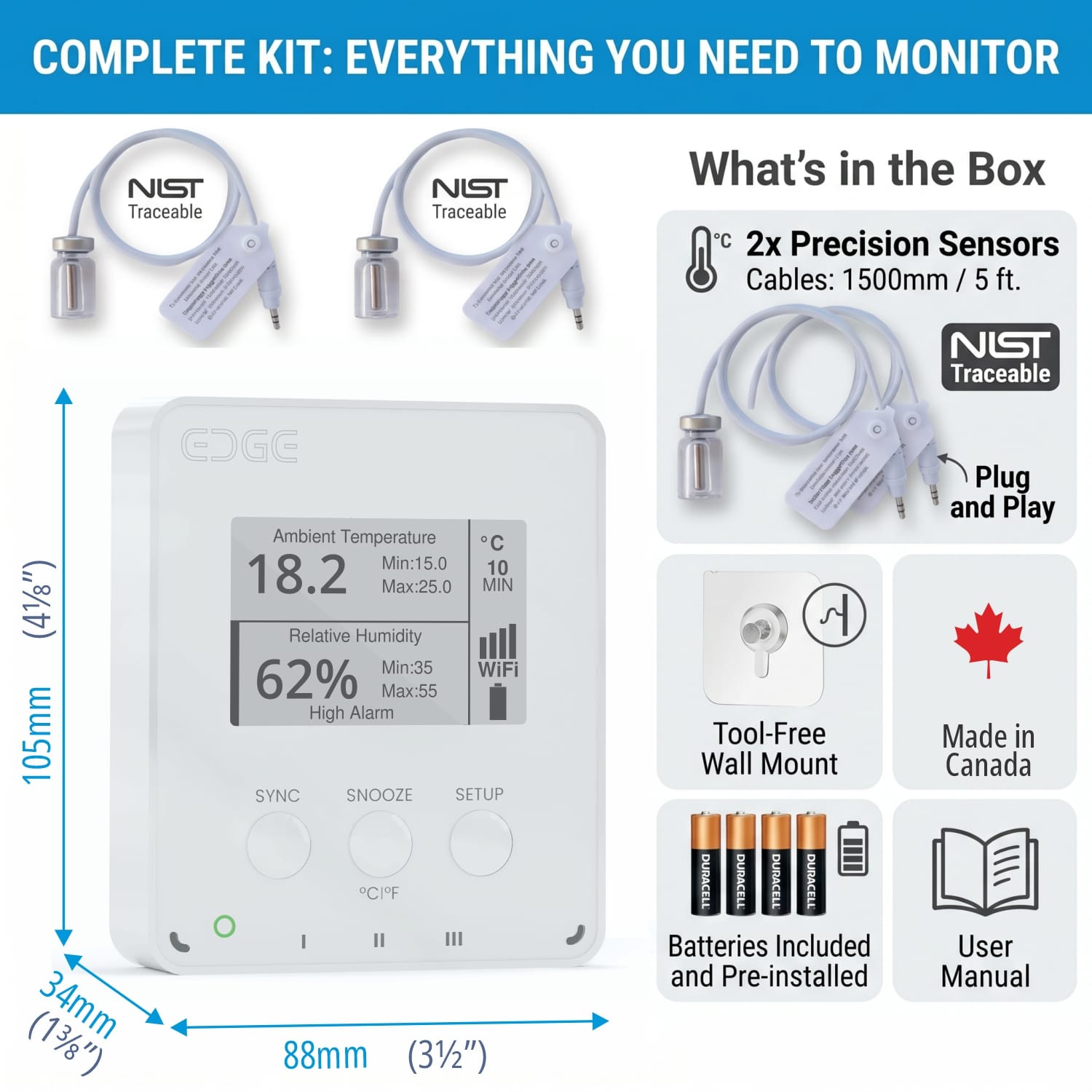
| Probes | One NIST-traceable external temperature probe, buffered in a food-grade ethanol vial |
| Calibration certificate | Validity shown on screen, email reminders before expiry; renew by replacing the probe, not the device |
| Measures | Ambient temperature and humidity, plus the probe |
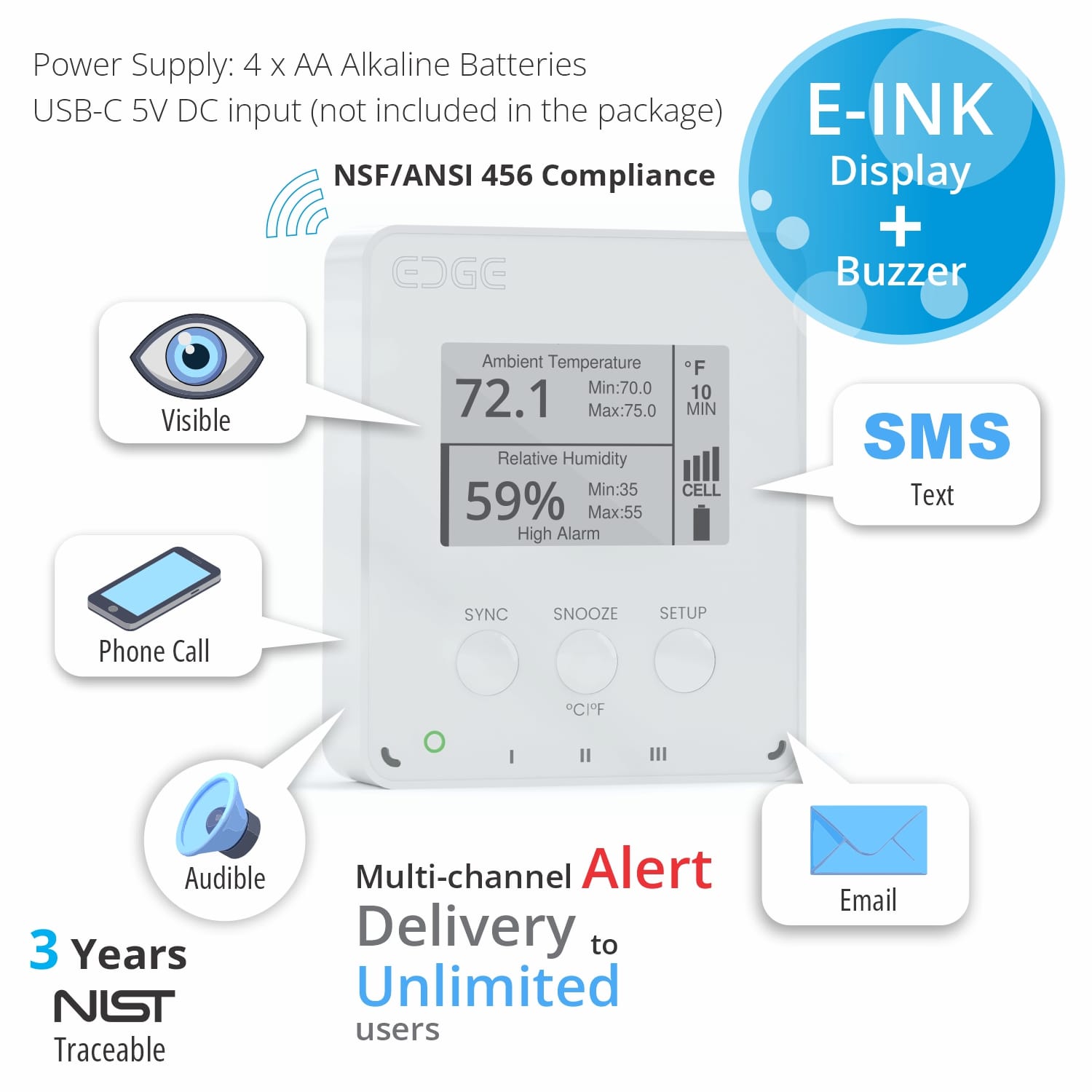
| Display | E-INK screen with audible and visual on-device alarms |
| Connectivity | Built-in LTE cellular (eSIM, no SIM card) with automatic WiFi rollover, plus BLE |
| Alarms | Email, SMS, phone call and audible beep; power outage alert on USB-C power |
| Dimensions | 104 × 88 × 30 mm (4.1 × 3.5 × 1.2 in) |
Relevant standards and guidance: National Vaccine Storage and Handling Guidelines (Public Health Agency of Canada)NIST calibration and measurement traceability
Guides
- FDA 21 CFR Part 11 Data Logger: A Buyer's GuideWhat 21 CFR Part 11 actually requires for temperature and humidity monitoring — electronic records, e-signatures, audit trails, ALCOA+ — and how to choose a compliant data logger.Read the guide
- Vaccine Fridge Monitoring: Protect Cold-Chain Stock and Pass CDC/VFC AuditsWireless temperature sensors and multi-channel alerts protect cold-chain vaccine stock and keep you CDC/VFC audit-ready. See how.Read the guide
- The Importance of MKT and LoggerFlex's New MKT Reporting FeatureMean Kinetic Temperature (MKT) is critical for pharmaceutical compliance. Discover our new automated MKT calculation and reporting tool.Read the guide
Vaccine Integrity
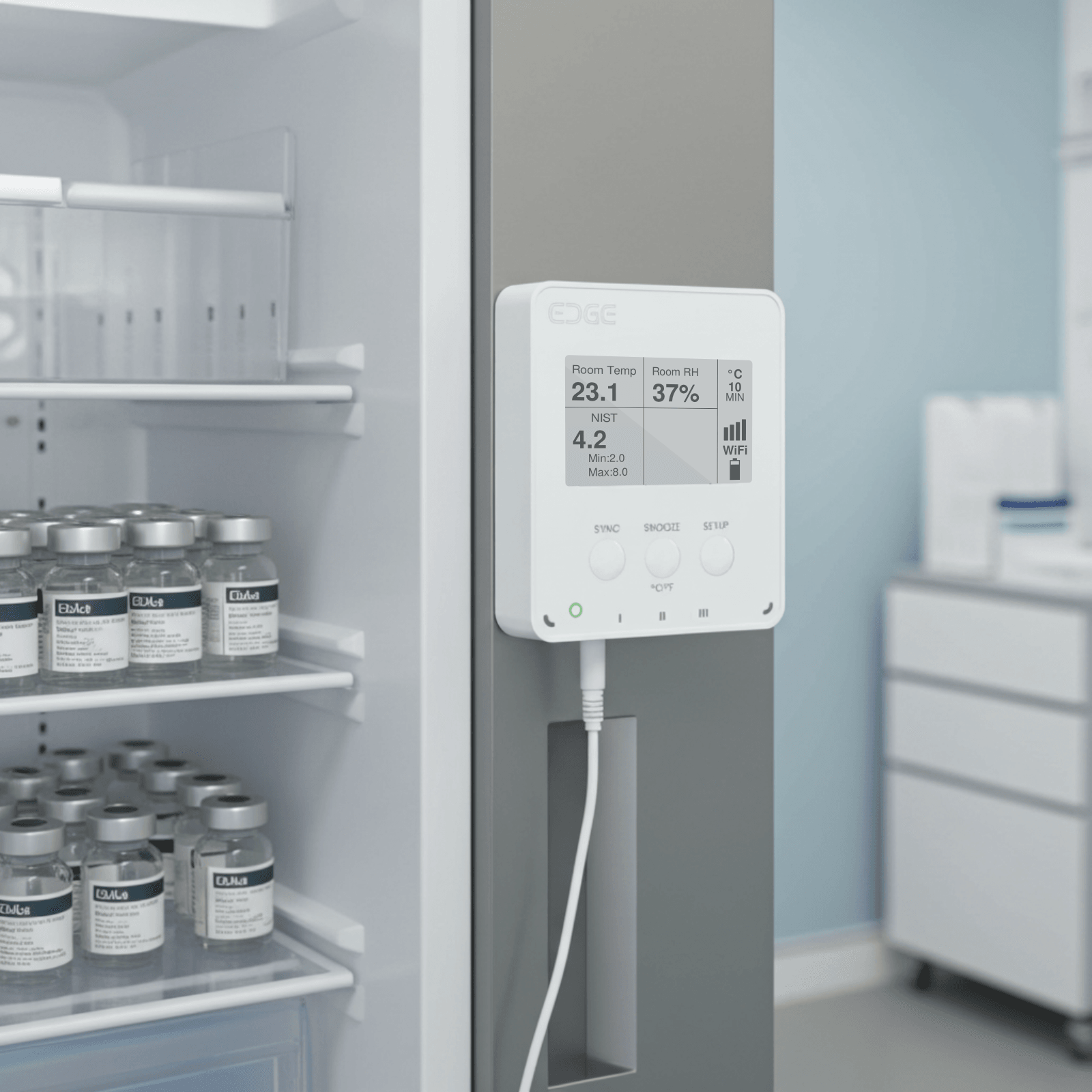
Precision buffered monitoring for vaccine fridges.
Ethanol Buffered Probe
Mimics actual product temperatures, preventing false alarms from regular door openings.
Automated Reporting
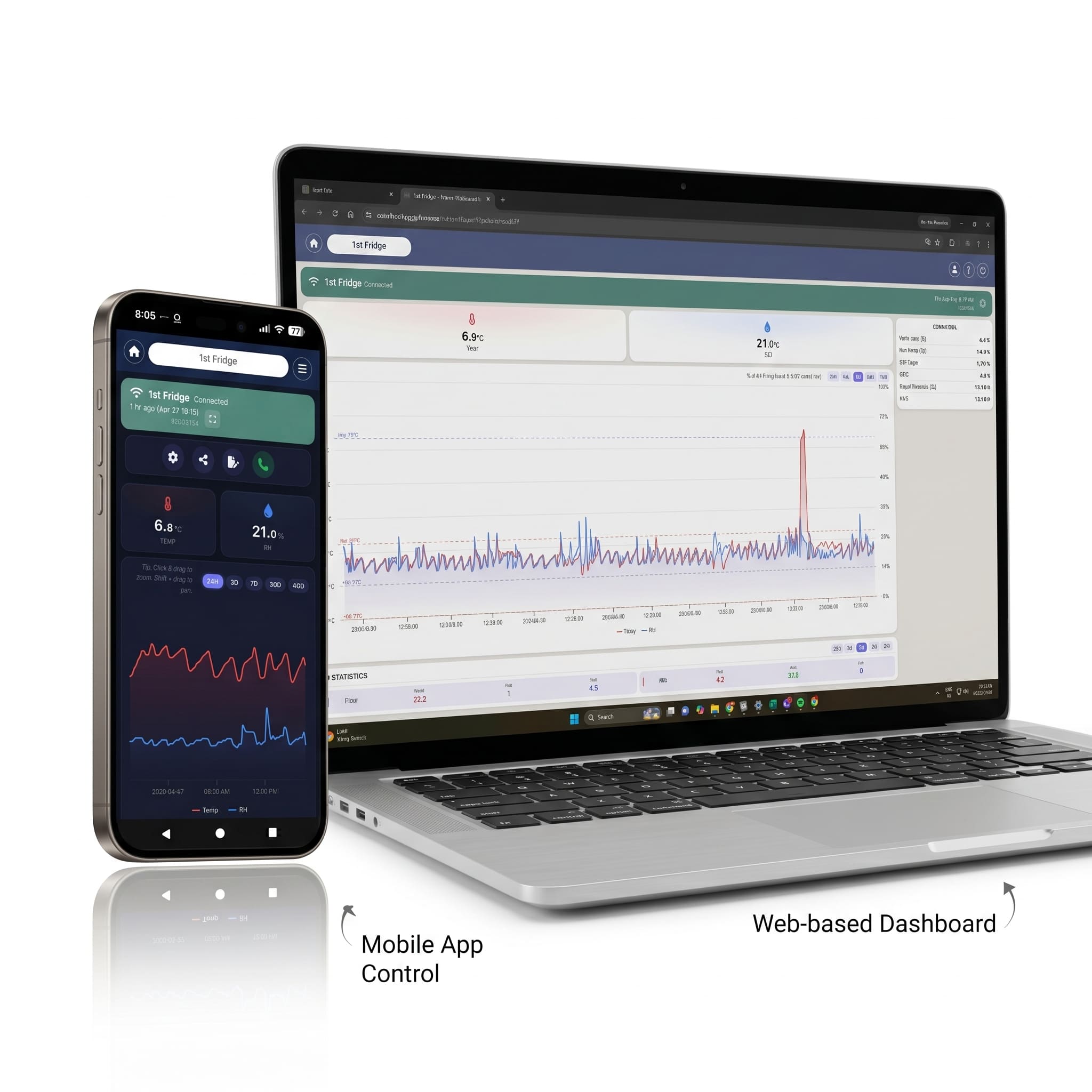
Generate vaccine temperature reports instantly via the cloud portal.
Built for Pharmaceuticals
Clinical Compliance
Meet the strict handling requirements for vaccines and sensitive biologics with ease.
Pharmacy Storage
Continuously monitor medication fridges and freezers to prevent costly spoilage.
Frequently asked questions
Products and choosing a logger
What is the difference between the EDGE and BLOCK families?
EDGE is the display-equipped line: ambient temperature and humidity, external probes down to -55 °C (-67 °F), CO2, plus pharmacy and in-transit variants. Every EDGE unit has an on-screen display, an audible buzzer and a visible on-device alarm, and most models come in matched WiFi and cellular pairs. BLOCK is the industrial and retrofit line: one compact WiFi housing (IP31, working down to -30 °C (-22 °F)) with sensor ports for fluid pressure, current clamps, CO2 and 4-20 mA loops. Several older BLOCK models are being retired, and the coming EDGE Multi will take over pressure and current monitoring. The principle is swap the probe, not the device, because calibration lives with the plug-in sensor, so recertifying means a new probe rather than an RMA.
What are the EDGE variants and what does each one add?
Essential logs ambient temperature and humidity at ±0.2 °C (±0.36 °F). Essential PLUS measures through a fixed external temperature and humidity probe, so the measurement point sits away from the logger, and takes up to two external temperature probes. Thermo ships with two detachable digital probes covering -55 °C to +125 °C (-67 °F to +257 °F) for freezers and cold rooms. Pharma ships with two NIST-traceable probes rated -20 °C to +50 °C (-4 °F to +122 °F). Air adds CO2 alongside temperature and humidity. GEO adds geo-location from cell towers and WiFi networks, sent with every upload, for shipments in transit. EDGE Lite, not released yet, is a compact min/max WiFi thermometer (not a data logger) reading ambient temperature and one external probe at ±0.5 °C (±0.9 °F). Most variants come in matched WiFi and cellular pairs.
Which logger do I specify for a vaccine fridge or a pharmacy?
Specify EDGE Pharma Two, in WiFi (edwiph) or cellular (edclph), or EDGE Pharma One (one probe), in WiFi (edwip1) or cellular (edclp1). Each EDGE Pharma Two unit ships with two NIST-traceable probes rated -20 °C to +50 °C (-4 °F to +122 °F), so one device covers two monitored points, and an ethanol-buffered probe mimics actual product temperature so routine door openings do not raise false excursions. The calibration certificate belongs to the probe, not the device: look it up by its 16-character ID or QR code, and renew by plugging in a newly calibrated probe. Certificates are valid three years in use, or five years on the shelf.
Setup and connectivity
What do I need before I install a logger?
A free LF Cloud account and the device label. Go to app.LoggerFlex.com, create and verify the account, then add the device using its Serial Number and DUID. On EDGE you can scan the QR on the display to fill both in; on BLOCK they are printed on the label at the back. The registration wizard sets the recording interval, syncing interval and alarm thresholds and pushes them down on first connection. Register before setup; on BLOCK, before you even power the unit.
How do I connect a logger to Wi-Fi?
Register the device first, then press the SETUP button — the right button on EDGE, the top button on BLOCK. The logger raises a temporary Wi-Fi network called Datalogger. Join it from a phone, tablet or laptop. A setup page opens on its own; if it does not, browse to 8.8.8.8. Pick your 2.4 GHz network, type the password and connect. The device then pulls its logging settings and thresholds from LF Cloud. Press SYNC — left button on EDGE, bottom on BLOCK — to force an upload and confirm it is online.
What are the network requirements for a Wi-Fi logger?
2.4 GHz only; 5 GHz is not supported. That is deliberate: 2.4 GHz carries further through concrete and steel, which is what industrial sites are made of. The network needs a WPA2-Personal or WPA3-Personal password (WPA2/WPA3 mixed mode is fine), and the password is case-sensitive. WPA2-Enterprise, WPA3-Enterprise and networks with a captive portal or a secondary login page are not supported, which rules out most guest, hotel and campus SSIDs. The logger gets its IP address automatically from the router (DHCP); a static IP cannot be set. Dual-band routers, mobile hotspots and Starlink connections are fine as long as a 2.4 GHz SSID is reachable.
Do I need a gateway, hub or bridge?
No. Every EDGE and BLOCK unit reaches LF Cloud on its own — BLOCK and Wi-Fi EDGE models over your existing Wi-Fi, cellular EDGE models over their built-in modem — so there is no proprietary gateway to buy, mount or maintain and no IT project to schedule. The cellular water meter works the same way, with its own 4G modem and managed SIM. EDGE also broadcasts Bluetooth for local viewing, and that is the single exception: a LoggerFlex gateway is needed only to capture BLE data. Logging, alarms and cloud reporting all work without one.
How quickly does data reach the dashboard?
Two independent clocks run. The recording interval decides how often the device measures and stores a reading locally; the syncing interval decides how often it uploads. A device can look quiet simply because its next scheduled upload has not happened yet. Alarms bypass the sync clock entirely: a threshold breach forces an immediate upload, then while the alarm lasts the device records every minute, uploads every hour and beeps once a minute. A return to range is reported within about 60 seconds. Shortening the sync interval does not make alarms faster, it only costs battery. EDGE units left on USB-C power sync every 15 minutes.
What happens if the internet drops — do I lose readings?
No. The logger keeps measuring and stores every reading with its timestamp in internal memory, then uploads the whole backlog automatically the next time it connects, so the history closes with no gaps. If a scheduled upload is missed, LF Cloud sends a Missing Upload email so you know a device has gone quiet. One caution for sites with poor coverage: an alarm raised while the device is offline makes it retry repeatedly and drains the batteries fast, so use Battery Saving sync mode and leave alarms off where you are logging without a connection.
Battery and power
How long do the batteries last?
About 2 years on 4 AA batteries for EDGE models (WiFi or cellular), and up to 3 years for BLOCK WiFi models, using a power-management architecture protected by US Patent US11455877B2. Real-world life depends on your recording and sync settings, cellular reception, ambient temperature, battery quality, the number of alarms, and whether the buzzer and Bluetooth are on, so we size it against your actual deployment. A buzzer sounding through a long alarm can drain the cells in hours or days. EDGE can also run on USB-C, with the AA cells as backup.
Request a quote
Make your product smart — without building an IoT team.
If you build equipment, we put the IoT soul inside it — hardware, firmware, global connectivity, cloud, alarms and compliance, shipped as a finished product under your brand.
OEM / custom version available
Discuss an OEM build