

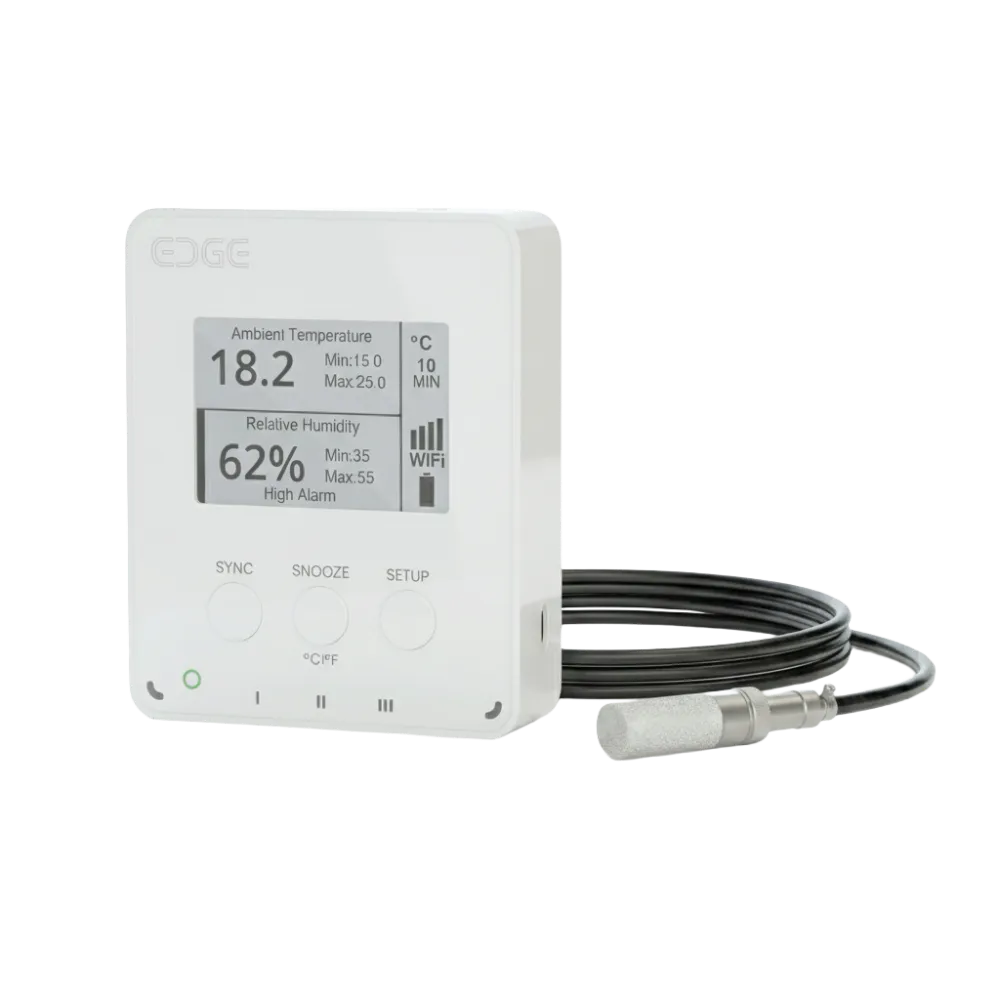
EDGE Essential Cell PLUS Cellular temperature and humidity logger with external probe
Formerly EDGE In-Situ
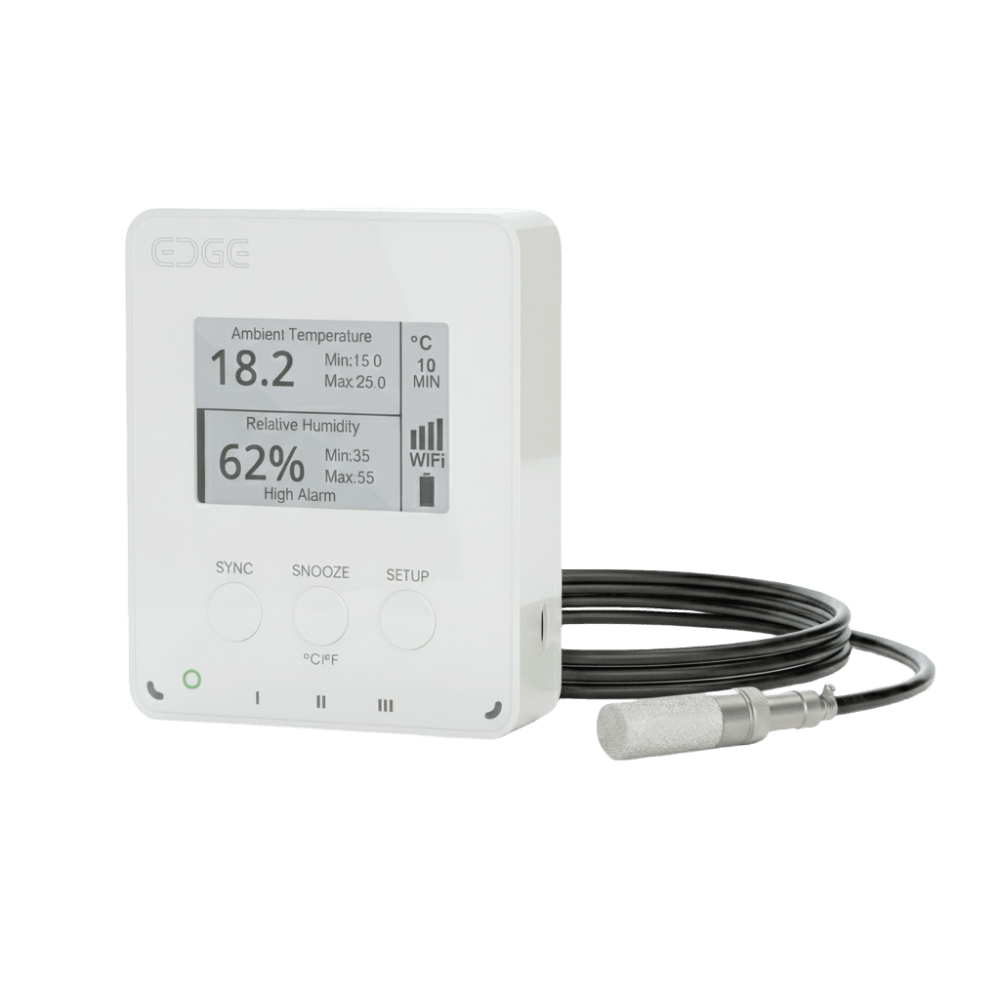
EDGE Essential Cell PLUS is a cellular temperature and humidity data logger with a built-in eSIM, no gateway and an external probe on a 1 m (3.3 ft) cable that reads -40 °C to +125 °C (-40 °F to +257 °F) at ±0.1 °C (±0.2 °F) and ±1.0% RH typical.
What It Measures
Ambient Temperature
-20 °C to +70 °C (-4 °F to +158 °F)
Relative Humidity
1% to 99% RH
Flood Detector (Optional)
Water Leak Sensing
Dry Contact (Optional)
Digital Input (Open/Close)
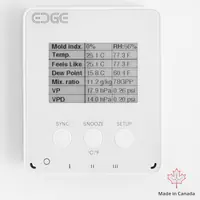
Mold Index
Mold possible prediction of growth
About EDGE Essential Cell PLUS
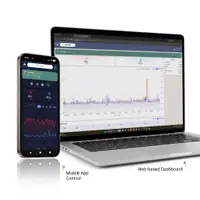
With optional door and flood sensors, mold risk notifications, and seamless WiFi or cellular connectivity, EDGE PLUS enables early detection of unfavorable conditions and supports long-term environmental tracking for mold prevention, utility audits, and usage analysis across agricultural, residential, and commercial applications. Tool-free installation, adjustable sampling intervals, and a powerful cloud platform make EDGE PLUS a dependable solution for everyday monitoring where probe-based sensing is preferred, without the need for complex wiring or certification requirements.
RH sensor pocket is water resistant
Specifications
| Part number | EDCLPL |
|---|---|
| Ambient Temperature | -20 °C to +70 °C (-4 °F to +158 °F) |
| Relative Humidity | 1% to 99% RH |
| Probe | Water-resistant external temperature and RH probe on a 1 m (3.3 ft) cable |
| Measures | Temperature and relative humidity, plus mold risk index |
| Connectivity | Built-in LTE cellular (eSIM, no SIM card) with automatic WiFi rollover, plus BLE |
| Optional inputs | Door (dry contact) and flood sensors |
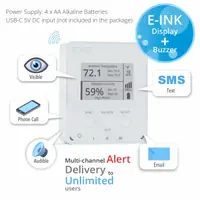
| Alarms | Email, SMS, phone call and audible beep; power outage alert on USB-C power |
Relevant standards and guidance: HACCP-based preventive food safety controls (CFIA)
Guides
- How to Choose a Wireless Temperature Data LoggerA vendor-neutral buying guide to choosing a wireless temperature data logger: connectivity, battery life, calibration, alarms, compliance and total cost.Read the guide
- HACCP Temperature Monitoring: The Complete GuideA complete guide to HACCP temperature monitoring: critical limits, corrective actions, verification, and how automated wireless logs replace failing paper records.Read the guide
- Walk-In Cooler Monitoring: Stop Spoilage and Automate HACCP LogsWalk-in cooler monitoring stops overnight spoilage with wireless temperature alerts by SMS, voice and email, plus automatic HACCP logs for inspectors.Read the guide
Specialized Sensing
Expert monitoring for highly controlled environments.
Flexible Probes
Accurately measure conditions inside dry cabinets, curing tents, and incubators.
Seamless Connection
Unbroken cloud telemetry for both temperature and humidity sensitive processes.
Built for Niche Applications
Healthcare & Maternity
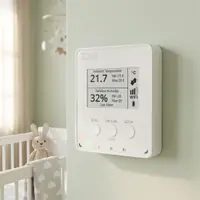
Provides vital, uninterrupted climate monitoring for baby incubators.
Industrial & Manufacturing
Perfect for tracking pre-cast concrete curing tents and dry cabinets for electronics.
Frequently asked questions
Products and choosing a logger
What is the difference between the EDGE and BLOCK families?
EDGE is the display-equipped line: ambient temperature and humidity, external probes down to -55 °C (-67 °F), CO2, plus pharmacy and in-transit variants. Every EDGE unit has an on-screen display, an audible buzzer and a visible on-device alarm, and most models come in matched WiFi and cellular pairs. BLOCK is the industrial and retrofit line: one compact WiFi housing (IP31, working down to -30 °C (-22 °F)) with sensor ports for fluid pressure, current clamps, CO2 and 4-20 mA loops. Several older BLOCK models are being retired, and the coming EDGE Multi will take over pressure and current monitoring. The principle is swap the probe, not the device, because calibration lives with the plug-in sensor, so recertifying means a new probe rather than an RMA.
What are the EDGE variants and what does each one add?
Essential logs ambient temperature and humidity at ±0.2 °C (±0.36 °F). Essential PLUS measures through a fixed external temperature and humidity probe, so the measurement point sits away from the logger, and takes up to two external temperature probes. Thermo ships with two detachable digital probes covering -55 °C to +125 °C (-67 °F to +257 °F) for freezers and cold rooms. Pharma One ships with one and Pharma Two with two NIST-traceable probes rated -20 °C to +50 °C (-4 °F to +122 °F). Air adds CO2 alongside temperature and humidity. GEO adds geo-location from cell towers and WiFi networks, sent with every upload, for shipments in transit. EDGE Lite, not released yet, is a compact min/max WiFi thermometer (not a data logger) reading ambient temperature and one external probe at ±0.5 °C (±0.9 °F). Most variants come in matched WiFi and cellular pairs.
Setup and connectivity
What do I need before I install a logger?
A free LF Cloud account and the device label. Go to app.LoggerFlex.com, create and verify the account, then add the device using its Serial Number and DUID. On EDGE you can scan the QR on the display to fill both in; on BLOCK they are printed on the label at the back. The registration wizard sets the recording interval, syncing interval and alarm thresholds and pushes them down on first connection. Register before setup; on BLOCK, before you even power the unit.
How do I connect a logger to Wi-Fi?
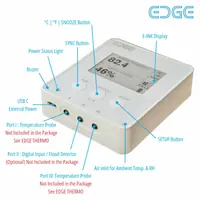
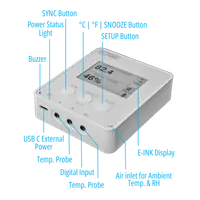
Register the device first, then press the SETUP button — the right button on EDGE, the top button on BLOCK. The logger raises a temporary Wi-Fi network called Datalogger. Join it from a phone, tablet or laptop. A setup page opens on its own; if it does not, browse to 8.8.8.8. Pick your 2.4 GHz network, type the password and connect. The device then pulls its logging settings and thresholds from LF Cloud. Press SYNC — left button on EDGE, bottom on BLOCK — to force an upload and confirm it is online.
What are the network requirements for a Wi-Fi logger?
2.4 GHz only; 5 GHz is not supported. That is deliberate: 2.4 GHz carries further through concrete and steel, which is what industrial sites are made of. The network needs a WPA2-Personal or WPA3-Personal password (WPA2/WPA3 mixed mode is fine), and the password is case-sensitive. WPA2-Enterprise, WPA3-Enterprise and networks with a captive portal or a secondary login page are not supported, which rules out most guest, hotel and campus SSIDs. The logger gets its IP address automatically from the router (DHCP); a static IP cannot be set. Dual-band routers, mobile hotspots and Starlink connections are fine as long as a 2.4 GHz SSID is reachable.
Do I need a gateway, hub or bridge?
No. Every EDGE and BLOCK unit reaches LF Cloud on its own — BLOCK and Wi-Fi EDGE models over your existing Wi-Fi, cellular EDGE models over their built-in modem — so there is no proprietary gateway to buy, mount or maintain and no IT project to schedule. The cellular water meter works the same way, with its own 4G modem and managed SIM. EDGE also broadcasts Bluetooth for local viewing, and that is the single exception: a LoggerFlex gateway is needed only to capture BLE data. Logging, alarms and cloud reporting all work without one.
How quickly does data reach the dashboard?
Two independent clocks run. The recording interval decides how often the device measures and stores a reading locally; the syncing interval decides how often it uploads. A device can look quiet simply because its next scheduled upload has not happened yet. Alarms bypass the sync clock entirely: a threshold breach forces an immediate upload, then while the alarm lasts the device records every minute, uploads every hour and beeps once a minute. A return to range is reported within about 60 seconds. Shortening the sync interval does not make alarms faster, it only costs battery. EDGE units left on USB-C power sync every 15 minutes.
What happens if the internet drops — do I lose readings?
No. The logger keeps measuring and stores every reading with its timestamp in internal memory, then uploads the whole backlog automatically the next time it connects, so the history closes with no gaps. If a scheduled upload is missed, LF Cloud sends a Missing Upload email so you know a device has gone quiet. One caution for sites with poor coverage: an alarm raised while the device is offline makes it retry repeatedly and drains the batteries fast, so use Battery Saving sync mode and leave alarms off where you are logging without a connection.
Battery and power
How long do the batteries last?
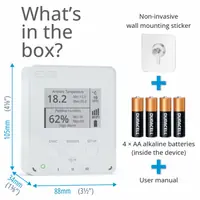
About 2 years on 4 AA batteries for EDGE models (WiFi or cellular), and up to 3 years for BLOCK WiFi models, using a power-management architecture protected by US Patent US11455877B2. Real-world life depends on your recording and sync settings, cellular reception, ambient temperature, battery quality, the number of alarms, and whether the buzzer and Bluetooth are on, so we size it against your actual deployment. A buzzer sounding through a long alarm can drain the cells in hours or days. EDGE can also run on USB-C, with the AA cells as backup.
What actually shortens battery life on site?
Four things. Recording and sync intervals: logging every minute and uploading every hour drains far faster than the defaults. Alarm activity, because every transmission powers the radio. Weak Wi-Fi signal, which forces the device to retransmit packets. And temperature, since extreme cold or heat reduces cell efficiency. Leave the default intervals alone unless you have a reason to change them. A shorter sync interval does not make alarms arrive faster, because an out-of-range reading never waits for a scheduled upload.
Request a quote
Make your product smart — without building an IoT team.
If you build equipment, we put the IoT soul inside it — hardware, firmware, global connectivity, cloud, alarms and compliance, shipped as a finished product under your brand.
OEM / custom version available
Discuss an OEM build